
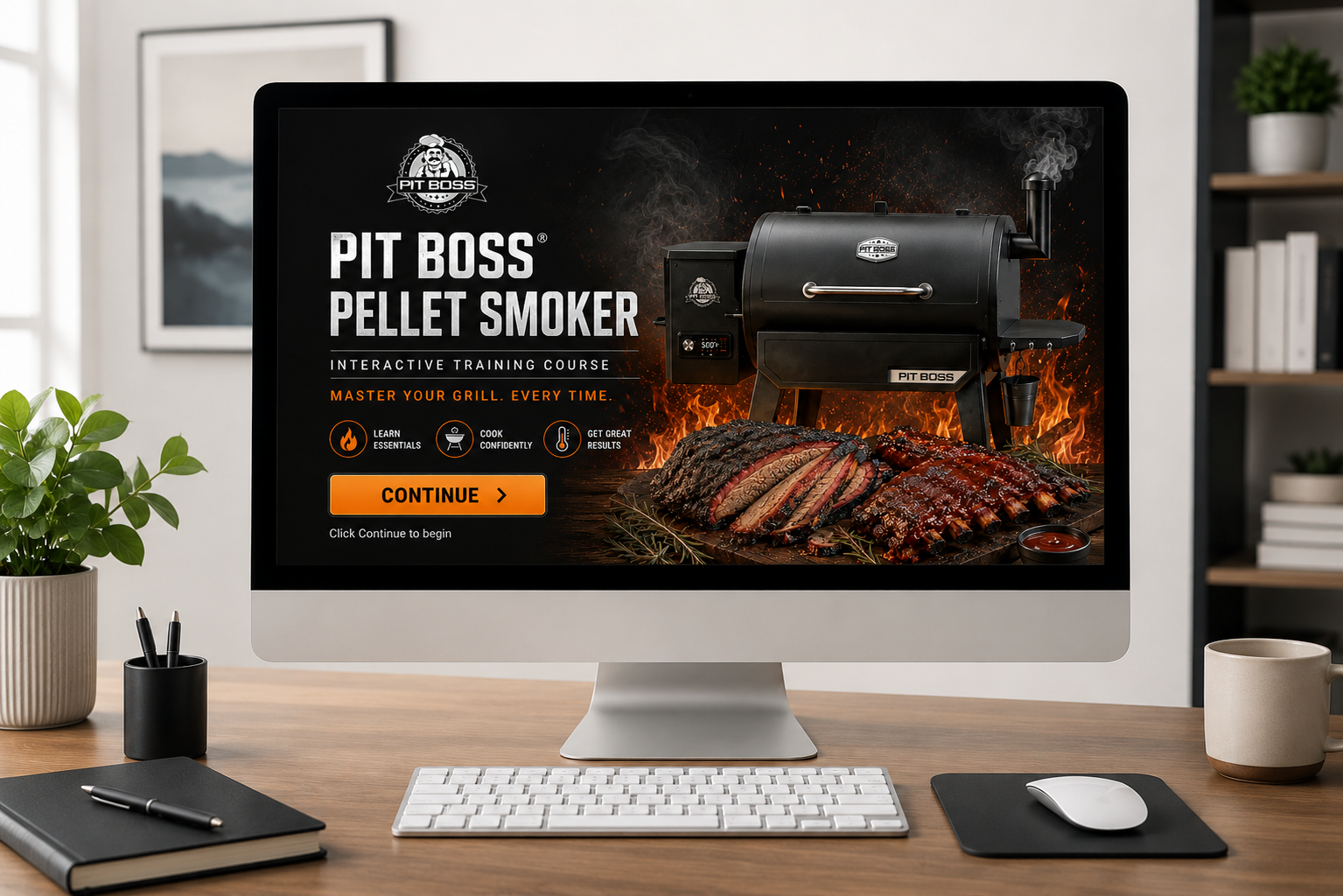

OVERVIEW
I used AI to transform photos, documentation, and ideas into a complete learning experience in a single day.
Rapid eLearning Development with AI: Smoker Training
When I purchased a new pellet smoker, I wanted a faster way to learn its operation than repeatedly referencing the owner's manual. I challenged myself to build a complete interactive learning experience using AI-assisted design and development techniques.
Using pictures taken with my phone, information from the manufacturer's manual, and ChatGPT, I quickly transformed a real-world learning need into a fully interactive training solution. AI helped generate custom visuals, organize content, suggest instructional approaches, and accelerate development. Once the content and graphics were created, I assembled the experience in Genially and published the final product.
The entire project was completed in one day—from initial idea to published learning experience. The result serves as both a practical performance support tool for my family and a demonstration of how AI can dramatically reduce development time while maintaining instructional quality.
Audience: Product Owners, Hobbyists, Consumer Learners
Responsibility: Instructional Design, AI Workflow Design, eLearning Development, Visual Design
Tools Used: ChatGPT, Genially, AI Image Generation, Product Documentation
Problem and Solution
Learning a new product often means flipping through lengthy manuals, searching online forums, and piecing together information from multiple sources. While the manufacturer's documentation contained the information I needed, it was not designed as a learning experience.
I wanted to explore a different approach: Could AI help transform product documentation and simple phone photos into a polished, interactive training experience that was easier to learn from and more engaging to use?
At the same time, I wanted to create a practical resource that would help my family confidently use our new pellet smoker and achieve better cooking results.
The AI Workflow
The process began with something simple: taking photos of the smoker from multiple angles using my phone. I uploaded those images to ChatGPT and prompted, “Can you make an illustration or design model of this smoker that can be used in an infographic?”
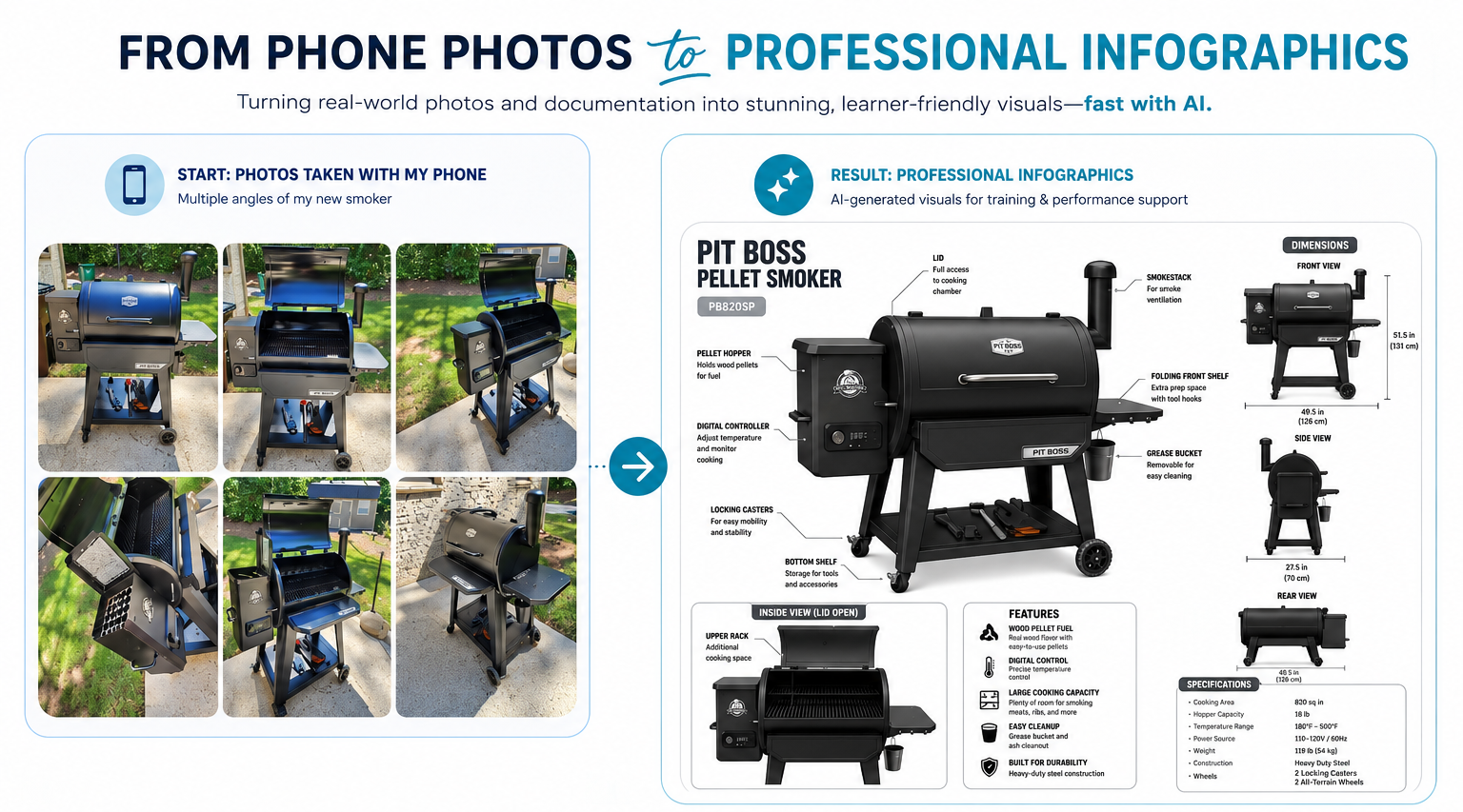
The images were used along with information from the manufacturer's documentation to quickly build out all the slides for the project. AI helped identify key concepts, organize content into logical learning sections, generate infographic-style visuals, and suggest ways to improve the learner experience.
Throughout development, AI also acted as a creative partner. For example, one suggestion was to create separate sections for different types of meat, allowing learners to quickly access information relevant to what they planned to cook. This transformed the project from a traditional instructional guide into a more interactive and useful performance support tool.
Human Review and Quality Control
While AI dramatically accelerated development, it was not a fully automated process.
Throughout the project, I reviewed AI-generated visuals and content for accuracy, usability, and visual quality. Like many generative AI tools, the outputs occasionally contained errors, inconsistencies, and hallucinations that required evaluation.
Even the image below took a lot of back and forth with ChatGPT to get right.
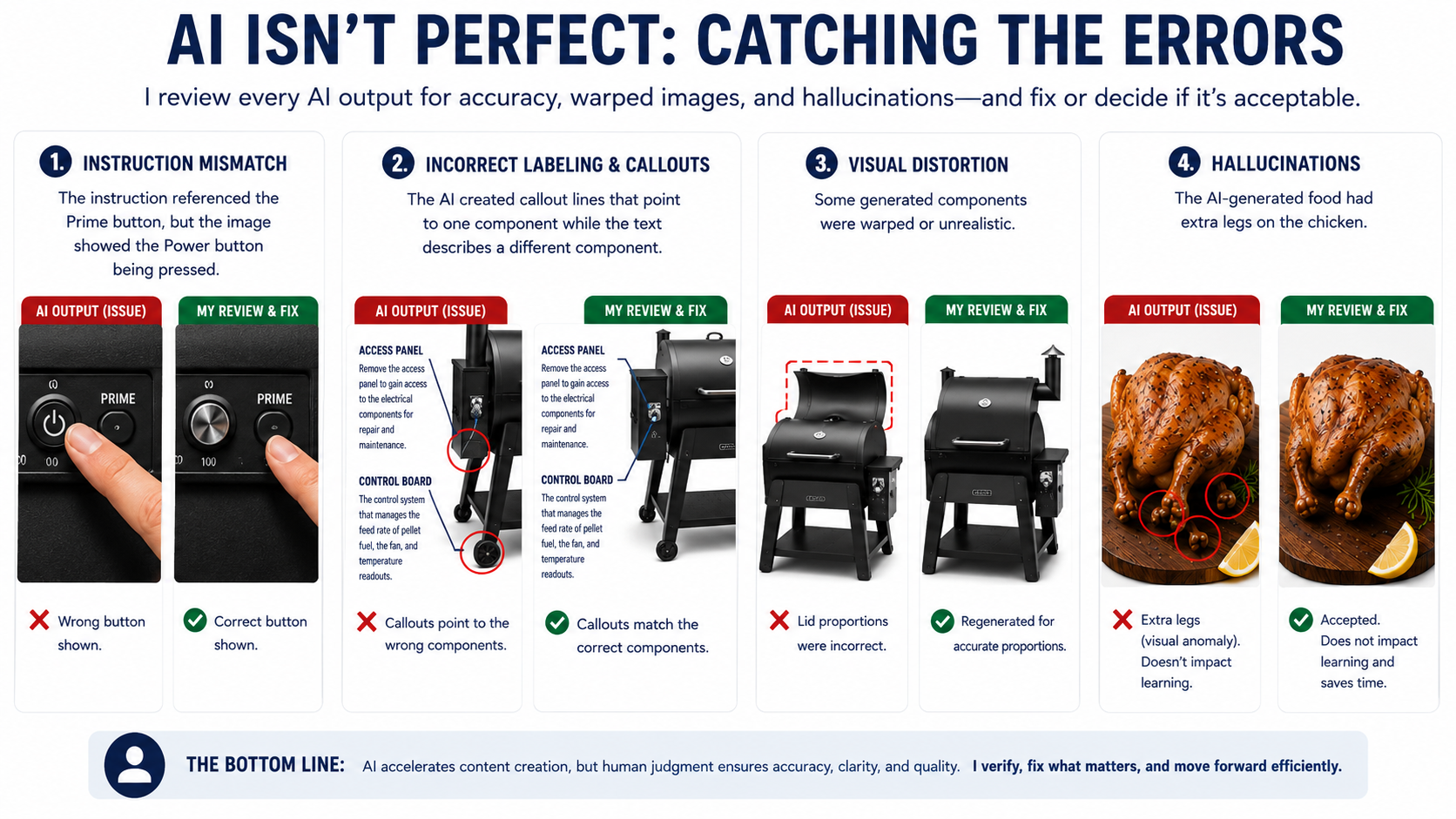
Examples included:
Instructions that referenced one control while the illustration showed a different button being pressed.
Visual distortions where product components were warped or incorrectly proportioned.
Incorrect labels applied to smoker components.
Minor visual artifacts that did not impact learning outcomes but reflected common AI image-generation limitations.
For each issue, I made a conscious decision whether to correct the problem, regenerate the asset, or accept the imperfection based on its impact on learner understanding and project timelines.
This experience reinforced an important lesson: AI can dramatically accelerate development, but human expertise remains essential. Instructional designers must evaluate outputs, verify accuracy, identify hallucinations, and make informed decisions about quality and learner impact.
The value was not simply in generating content faster—it was in knowing which outputs were accurate, which required refinement, and which imperfections could be reasonably accepted in support of rapid development goals.
Rapid Development Process
Once the content structure and visuals were generated, I assembled the experience in Genially using a rapid development approach.
Because AI significantly accelerated content development, visual design, and brainstorming, I was able to focus more time on instructional decisions and learner experience rather than asset creation.
The project progressed from initial idea to published product in approximately one day.
This project demonstrates how AI can dramatically reduce development time while still allowing the instructional designer to guide strategy, organization, usability, and overall quality.
The Solution
The final product is an interactive learning experience that helps users:
• Understand smoker components and controls
• Learn startup and shutdown procedures
• Explore cooking guidance for different types of meat
• Follow maintenance and cleaning recommendations
• Apply best practices for temperature management and cooking performance
Rather than replacing the manufacturer's documentation, the training transforms technical information into a practical, learner-friendly experience.
Results and Reflection
This project successfully demonstrated how generative AI can support rapid instructional design and content development.
What traditionally might require days or weeks of graphic creation, content organization, and development was completed in a fraction of the time. More importantly, the finished product continues to serve as a useful resource for my family whenever we use the smoker.
The experience reinforced an important lesson: AI is most effective when paired with instructional design expertise. While AI accelerated production and generated ideas, human judgment remained essential for organizing information, shaping the learning experience, and ensuring the final product met the needs of the learner.
Key Takeaways
Transformed product documentation into an interactive learning experience
Used AI-generated visuals based on personal phone photographs
Leveraged AI for brainstorming, content organization, and visual design
Built and published a complete learning experience in approximately one day
Demonstrated how AI can accelerate instructional design workflows without sacrificing quality
Created a practical performance support resource that continues to be used after project completion
You may also like…
Workplace Safety and CPR Trianing
This scenario-based eLearning uses gamification to help employees learn how to respond with an AED during a cardiac emergency.

Gamified Instructional Designer eLearning Experience
Live workshop material that uses gamification and hands-on challenges to help new instructional designers practice tools like motion paths and branching in real time.