You Inherited a Messy LMS - Here’s Where to Start
When you inherit a messy LMS, it can feel like walking into a room where every drawer has been opened, every file has been renamed three different ways, and everyone still expects you to find exactly what they need in under five minutes.
There may already be content in the system. There may be learning paths, assignments, reports, categories, user groups, automations, old webinars, outdated PDFs, duplicate courses, broken links, and half-built training programs. Some of it may be useful. Some of it may be outdated. Some of it may be actively confusing learners. And while you are trying to figure out what is there, new training requests are still coming in.
This is one of the most overwhelming situations an instructional designer, LMS administrator, or talent development professional can walk into.

But the first mistake is assuming the solution is to “clean up the LMS.”
That sounds practical, but it is too vague. Clean up what? The courses? The reports? The naming conventions? The user experience? The learning paths? The permissions? The content itself? The stakeholder expectations?
A messy LMS is rarely just a messy content library. It is usually evidence of a larger learning ecosystem problem.
It may show that training has been reactive instead of strategic. It may show that content was built without lifecycle management. It may reveal unclear ownership, inconsistent standards, weak governance, poor learner experience, or a system that was treated as a storage space instead of a performance tool.
So the real question is not simply, “How do I clean this up?”
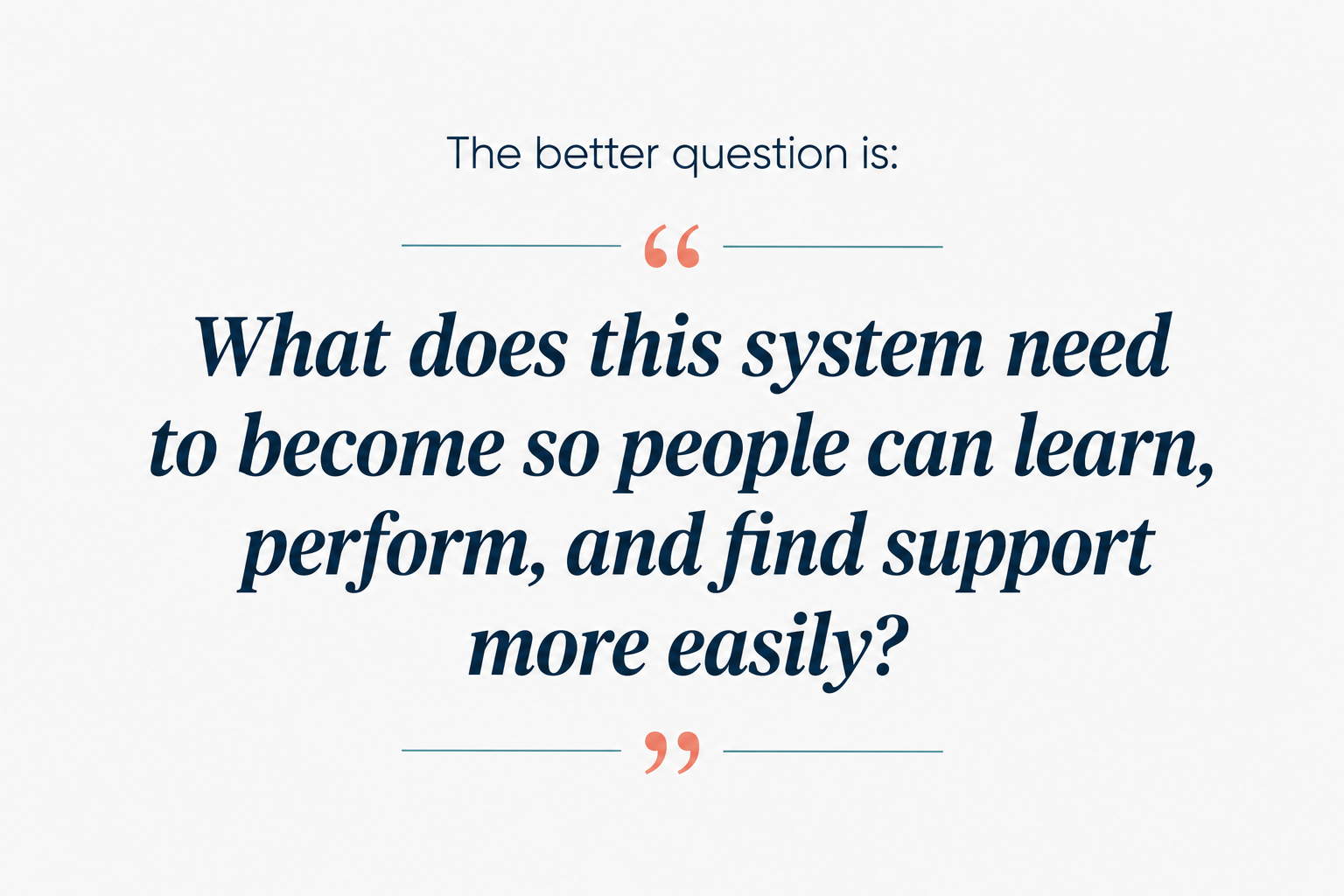
That mindset shift matters. When you inherit a messy LMS, your job is not to fix everything at once. Your job is to stabilize the system, understand what exists, protect what still works, retire what no longer serves the business, and rebuild the learning environment with intention.
In other words, you are not just organizing content. You are recovering a learning ecosystem.
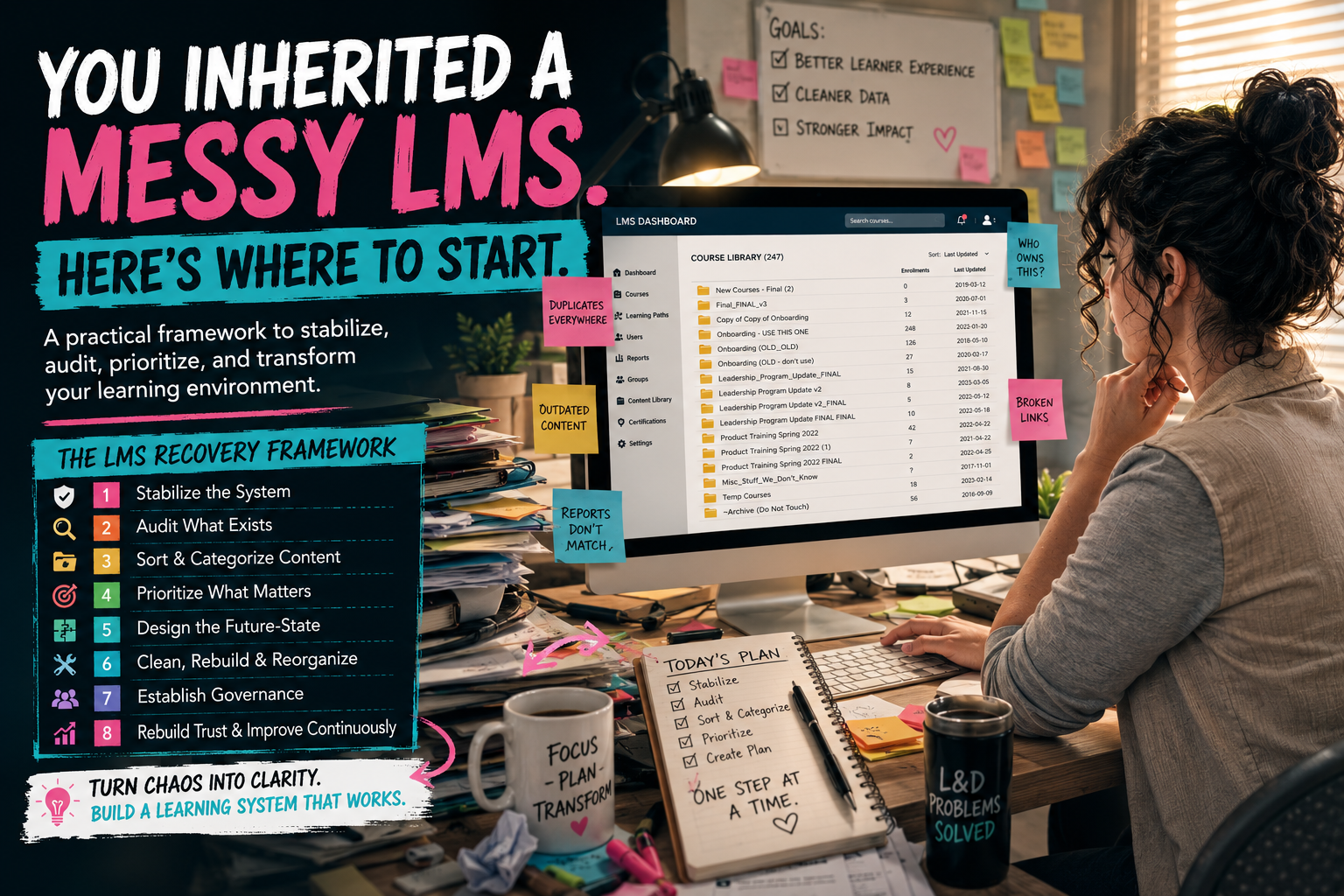
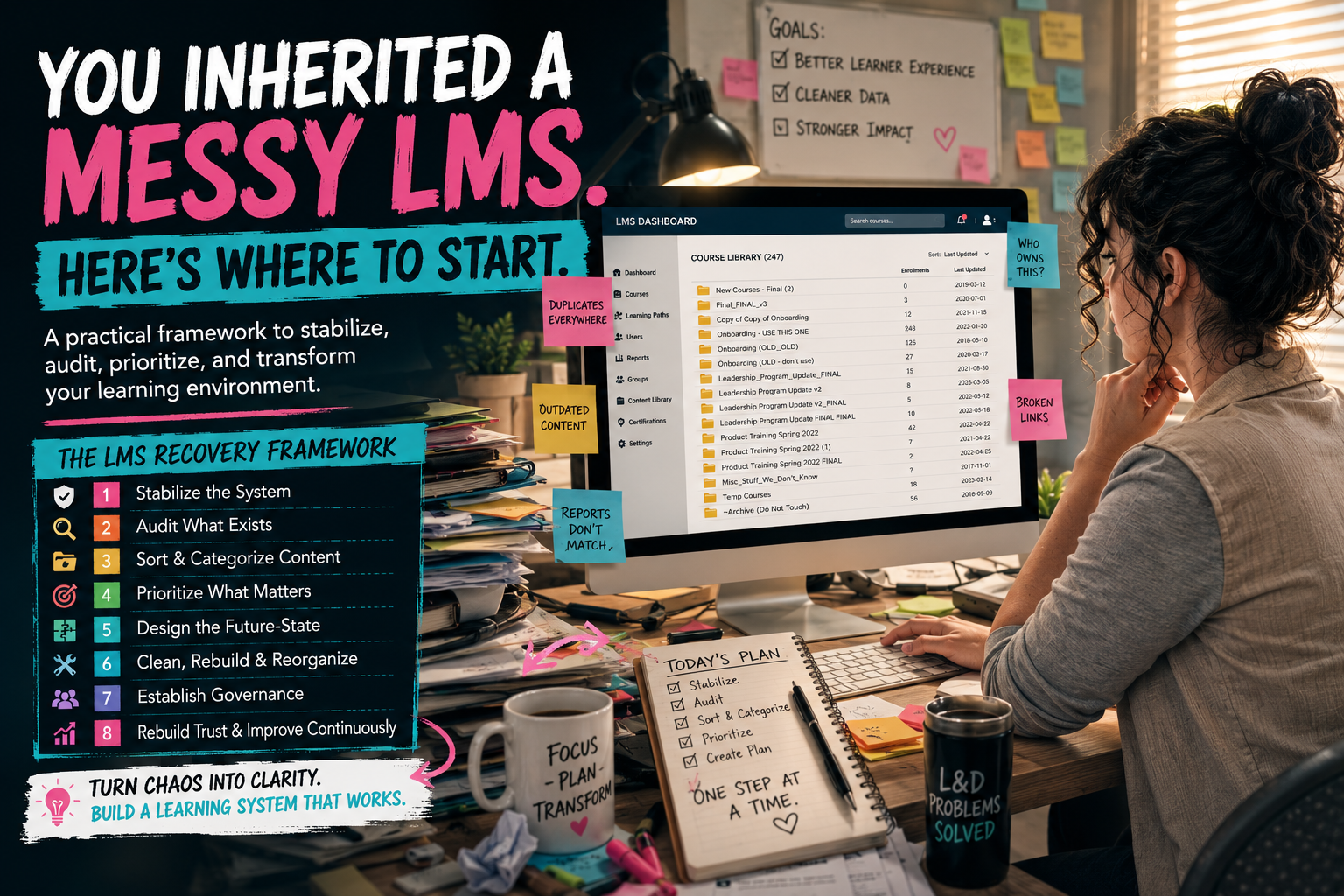
The LMS Recovery Framework
Before making changes, it helps to follow a clear process. Without a framework, every issue feels urgent, every stakeholder request feels equally important, and every course starts to look like a rebuild project.
A practical LMS recovery process should move through these phases:
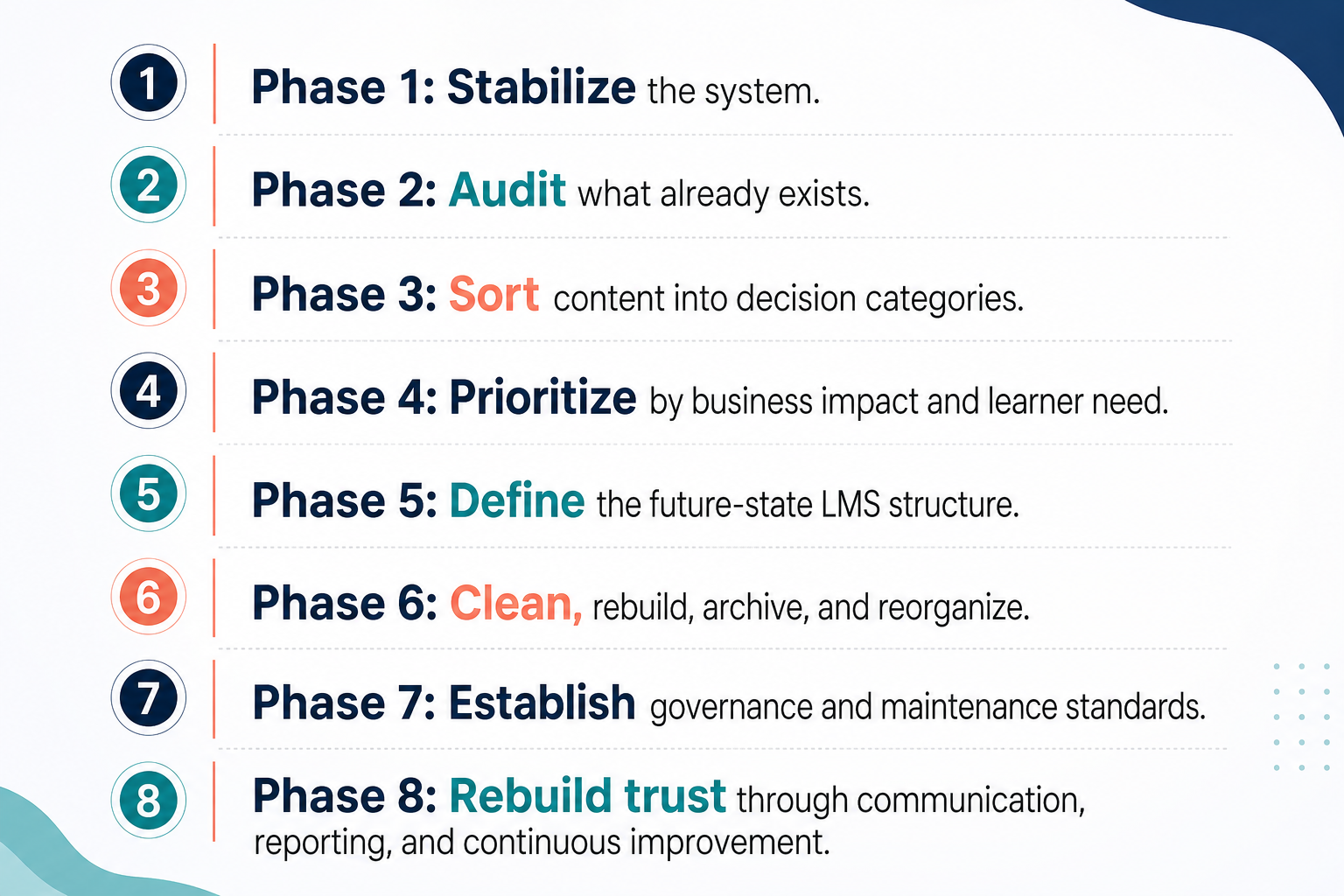
This framework gives you a way to move from chaos to control. It also keeps you from making one of the most common mistakes: jumping straight into course redesign before you understand the system you are redesigning for.
Phase 1: Stabilize the System Before You Redesign It
The first priority is not perfection. It is stabilization. When you inherit a messy LMS, there will likely be visible issues everywhere. Course names may be inconsistent. Old learning paths may still be assigned. Learners may be enrolled in the wrong training. Reports may not be reliable. Some courses may be outdated, while others may be duplicated under slightly different names.
It is tempting to start fixing whatever looks messy first. But that can quickly become scattered and inefficient. Instead, start by identifying what is actively affecting learners, managers, customers, compliance, onboarding, or business operations right now.
Ask yourself:
What training is currently required?
What content is being used today?
What courses are part of onboarding?
What learning paths are assigned automatically?
What reports are leaders using?
What links are being sent to learners?
What content is customer-facing?
What issues are creating confusion or risk?
Your goal in this first phase is to stop the most visible damage. That may mean fixing broken links in required courses, correcting enrollment errors, hiding content that is clearly outdated, updating descriptions on high-traffic courses, or creating a temporary “Start Here” page for learners who do not know where to go.
This is not the time to rebuild the entire LMS. It is the time to reduce confusion, protect the learner experience, and prevent the system from getting worse while you assess it. A good rule of thumb is this: if the issue affects required training, onboarding, customer experience, compliance, access, reporting, or role readiness, it belongs in the stabilization phase. If it is mostly cosmetic or low-impact, document it for later.
The stabilization phase gives you breathing room. It helps you move from reactive panic to structured recovery.
Phase 2: Audit What Already Exists
Once the most urgent issues are under control, the next step is a structured audit. This is where many teams get overwhelmed because they try to evaluate everything at once without a system. A strong LMS audit should look at the platform from several angles, not just the course catalog. You need to understand the content, the structure, the learner experience, the administrative setup, the reporting environment, and the business purpose behind the training.
1. Start with the content. Identify what courses, learning paths, programs, videos, documents, assessments, surveys, and resources exist. For each item, document the title, topic, audience, owner, last update date, format, usage, completion data, and whether the content appears current.
2. Then look at structure. Review categories, catalogs, learning plans, groups, branches, permissions, tags, naming conventions, and assignments. Messy LMS environments often have years of inconsistent decisions layered on top of each other. One team may have named courses by department. Another may have used topic names. Another may have used dates. Another may have created duplicate learning paths because they could not find the original ones.
3. Next, examine the learner experience. This part is critical. Do not only look at the LMS as an administrator. Look at it as a new employee, a manager, a customer, or someone trying to find help quickly.
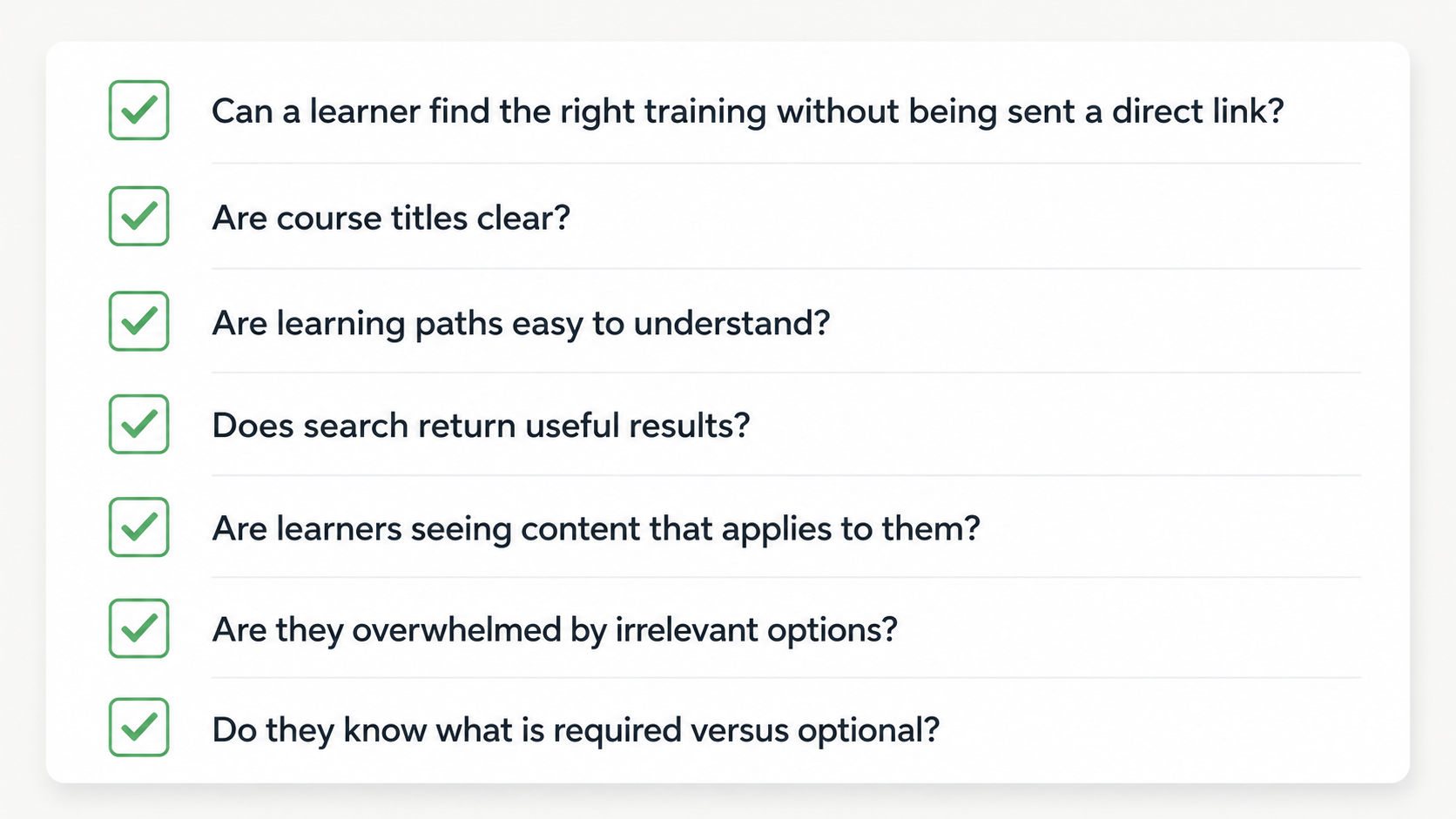
If learners need someone to personally guide them through the LMS every time, the LMS is not functioning as a learning system. It is functioning as a storage location.
4. Finally, review reporting. Determine which reports exist, who uses them, and whether the data can be trusted. Completion data may not be meaningful if courses are duplicated, assignments are inconsistent, learning paths are outdated, or users are grouped incorrectly.
A useful audit principle is this - review the LMS from three perspectives:
The learner - shows you whether the system is usable.
The administrator - shows you whether the system is manageable.
The business leader - shows you whether the system provides meaningful insight.
You need all three.
Phase 3: Sort Content Into Decision Categories
After the audit, you need a decision framework for what to do with the content. This is where a messy LMS can become emotionally and operationally difficult. People may have spent time building content. Some courses may have been created by subject matter experts. Some may be outdated but still familiar. Some may be poorly designed but technically useful. Some may no longer serve a business need but still appear important because they have been in the LMS for years.
Do not treat every piece of content as a redesign project. Instead, sort content into clear categories:
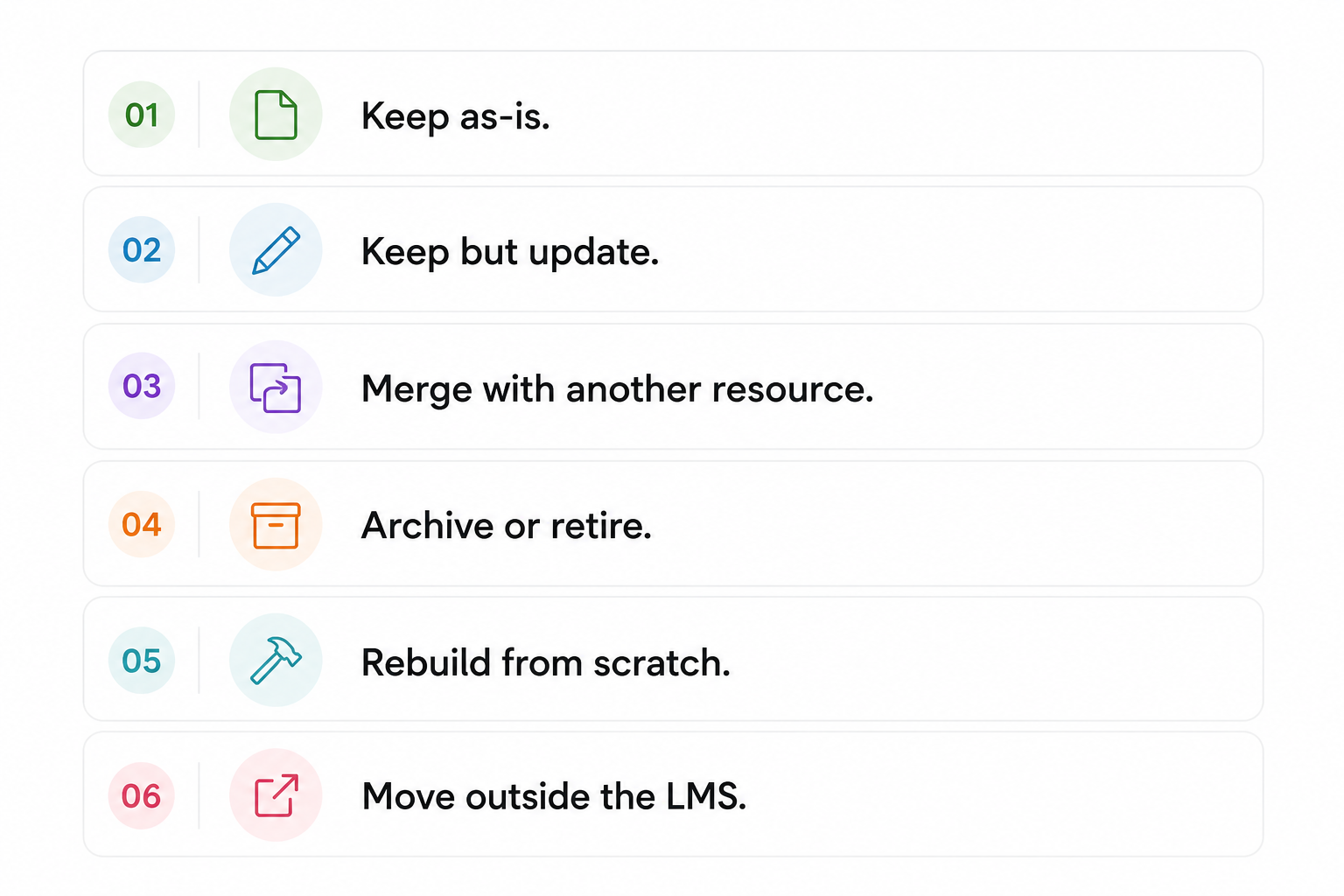
This decision structure prevents unnecessary work. Some content may be accurate and useful. It does not need to be touched yet. Some content may only need small updates, such as a new title, description, audience assignment, or corrected link. Some content may overlap with other courses and should be merged. Some may be outdated, unused, or actively confusing and should be retired. Some content may need a full rebuild, but that should be a deliberate decision, not the default. There is also an important category many teams miss: content that should move outside the LMS.
Not everything belongs in an LMS. A quick-reference checklist, troubleshooting guide, process reminder, or one-page job aid may be better housed in a knowledge base, intranet, SOP library, or performance support system.
A good LMS should not hold everything. It should hold the right things, in the right structure, for the right purpose.
Phase 4: Prioritize by Business Impact and Learner Need
Once content is sorted, the next challenge is prioritization. This is where discipline matters. In a messy LMS, everything can look important. But not everything deserves the same level of attention. Prioritize work based on:
Business impact
Learner need
Risk
Effort
High-priority items usually include onboarding programs, required training, compliance-related content, customer-facing training, certification programs, role-based learning paths, and courses tied directly to job performance.
Medium-priority items may include important but non-urgent updates, optional professional development content, manager resources, or courses that are useful but not currently causing major issues.
Lower-priority items may include outdated optional content with low usage, cosmetic inconsistencies, legacy materials, or content that no longer supports a clear business need.
One of the most practical ways to prioritize is to look for high-impact, low-effort fixes first. These are changes that quickly improve the learner experience without requiring a full redesign. For example, you may be able to rename confusing courses, remove duplicates, fix broken links, update course descriptions, reorganize categories, or hide outdated content relatively quickly. These changes can immediately make the LMS feel more trustworthy and usable.
Larger rebuilds should be reserved for content that is both important and meaningfully broken. If a course is heavily used, tied to onboarding, and no longer accurate, it may need a full redesign. If a course is outdated, rarely used, and not tied to current performance needs, it may simply need to be retired. A messy LMS does not require equal attention to every mess. It requires thoughtful prioritization.
Phase 5: Define the Future-State LMS Structure
Before rebuilding content, define what the LMS is supposed to become. This is one of the most important steps in the entire process. If you start fixing courses one by one without a larger structure, you may end up with cleaner content inside the same messy system. The future-state structure should answer questions like:
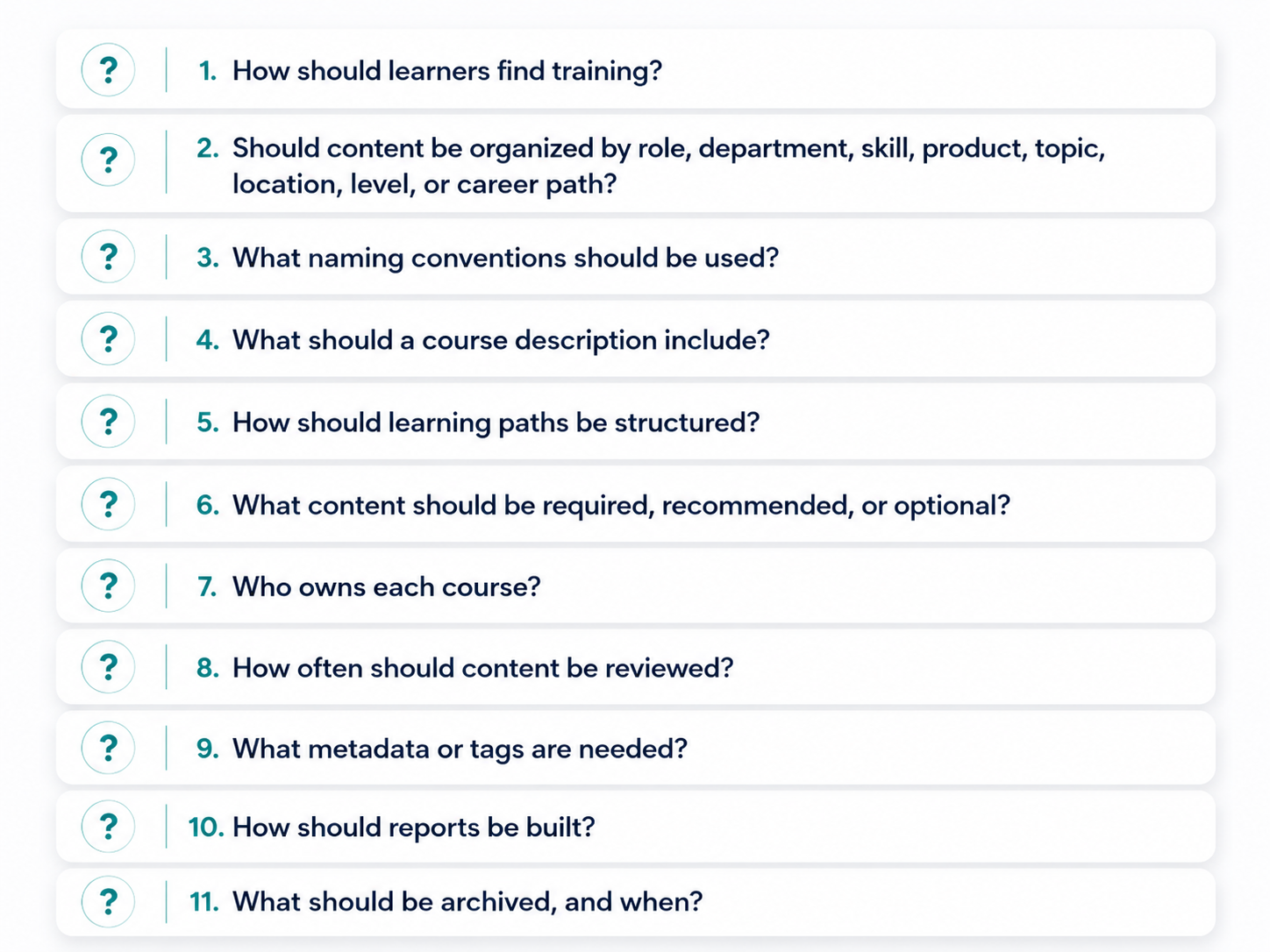
This is where instructional designers and talent developers need to think beyond individual courses. They need to think like learning architects.
If the organization wants role-based learning, the LMS structure should reflect roles and responsibilities. If the goal is career development, the system should support pathways, skill progression, and recommended learning. If the goal is product adoption, the system should help learners find training by feature, workflow, use case, or customer need. The structure should match the way people actually need to learn and perform.
This is also where the “Netflix-style” LMS idea often comes up. Many leaders say they want a learning experience that feels personalized, searchable, intuitive, and easy to browse. But that experience does not happen because the LMS looks modern. It happens because the content architecture is intentional.
Recommendations, featured content, learning paths, categories, search results, and role-based assignments are only useful if the underlying structure is strong. A better learner experience starts with better learning architecture.
Phase 6: Clean, Rebuild, Archive, and Reorganize
Once the future-state structure is defined, cleanup becomes much more focused. Now you are not just making the LMS look better. You are moving the system toward a specific design.
Start with the content and areas that were prioritized earlier. Clean up high-value, high-visibility areas first. This may include onboarding paths, manager training, required courses, customer-facing content, or role-specific programs.
As you clean, apply the new standards consistently. Use the naming conventions. Update descriptions. Assign owners. Add tags or metadata. Place courses in the right categories. Connect content to the correct learning paths. Remove or archive outdated materials.
For content that needs updating, determine whether the update is minor or substantial. A minor update may involve replacing screenshots, correcting terminology, updating links, or revising a quiz. A substantial update may require redesigning the course flow, rewriting objectives, rebuilding interactions, validating content with SMEs, or changing the assessment strategy.
For content that needs to be rebuilt, avoid simply recreating the old version in a cleaner format. Use the rebuild as an opportunity to ask whether the course still meets the actual learning need.
What should learners be able to do after completing it?
Is a course the right solution?
Is practice needed?
Is assessment needed?
Would a job aid support performance better than a long module?
Does the course need to be part of a larger pathway?
This is where instructional design judgment becomes essential. LMS recovery is not just an administrative cleanup project. It is an opportunity to improve the quality and usefulness of the learning experience.
Archiving also needs to be handled carefully. Do not delete content casually unless your organization has a clear policy for doing so. In many cases, it is better to archive or deactivate content in a way that preserves historical records while removing it from the learner-facing experience. The goal is to make the LMS easier to use without losing important institutional knowledge.
Phase 7: Establish Governance and Maintenance Standards
Cleanup alone will not solve the problem if the same habits continue. Without governance, a messy LMS will become messy again. Governance defines how the LMS is managed, who makes decisions, and what standards must be followed. This does not need to be overly complicated, but it does need to be clear. At minimum, governance should address course creation, naming conventions, content ownership, review cycles, publishing standards, learner assignments, reporting expectations, archiving rules, and change control.
For example, every course should have an owner. Every course should have a review date. Every new learning path should follow a consistent structure. Every course title should follow the same naming logic. Every required training assignment should have a documented business reason. Every report used by leadership should be based on reliable, consistent data.
Governance also protects the L&D team from becoming reactive order-takers. If anyone can request anything, upload anything, or ask for a new course without clear criteria, the LMS will eventually become cluttered again. A strong intake process helps ensure that new training requests are evaluated before they become new LMS content.
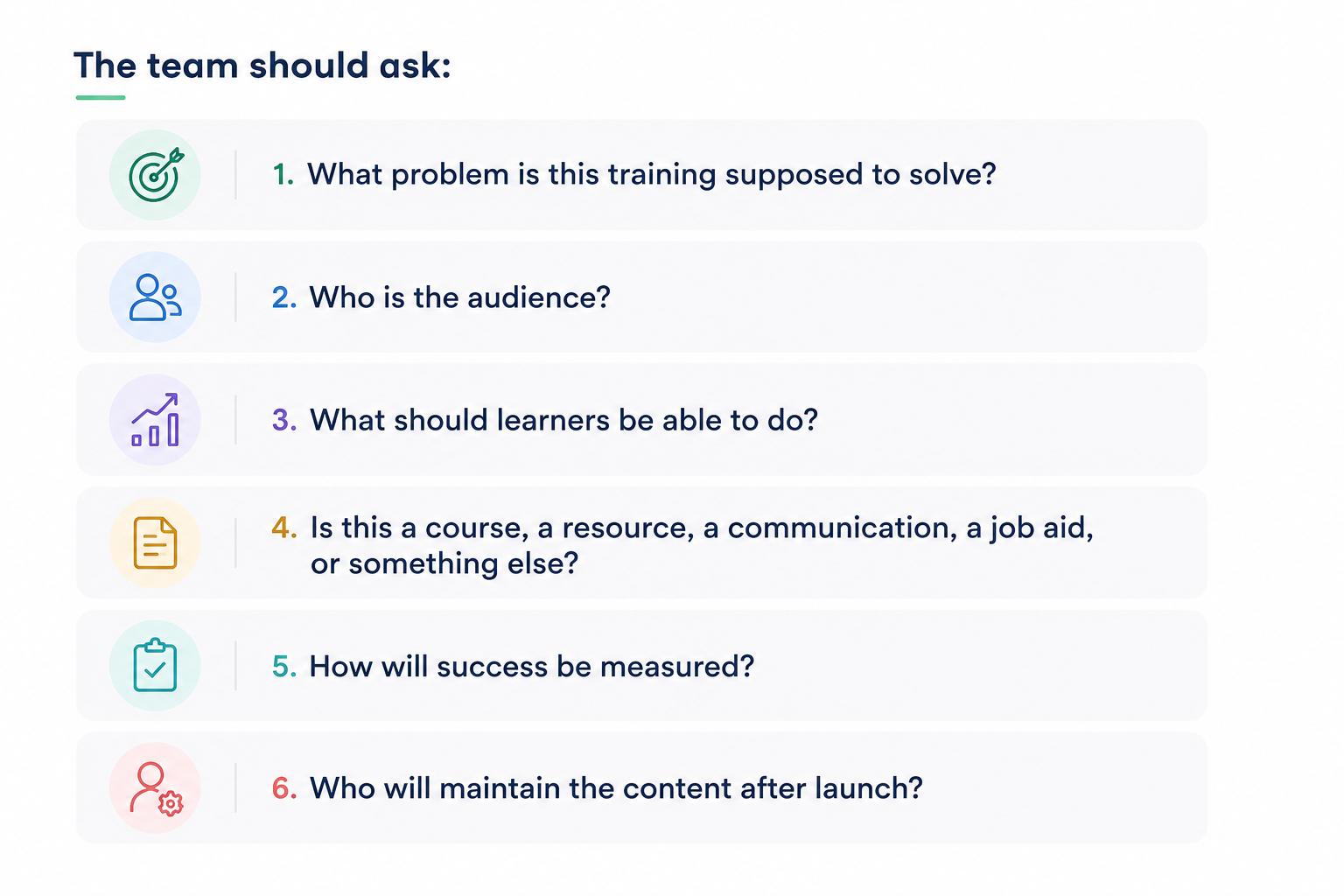
This is how the LMS shifts from a dumping ground to a managed learning environment.
Phase 8: Rebuild Trust in the LMS
A messy LMS does not only create administrative problems. It damages trust. When learners click broken links, encounter outdated information, cannot find what they need, or get assigned irrelevant training, they learn not to rely on the system. Managers may stop trusting reports. Stakeholders may bypass the LMS entirely. Teams may start sending direct links, building their own folders, or creating shadow systems.
So part of LMS recovery is rebuilding confidence. Communication is essential. Stakeholders should understand that the LMS is being improved through a phased process. They do not need every technical detail, but they do need to know what is changing, why it matters, and how it will affect them.
For learners, communication should focus on clarity. Show them where to start, what has changed, what is required, and how to find support.
For managers, communication should focus on visibility and reliability. Explain how reporting will improve, what data they can use, and what limitations may exist during the transition.
For stakeholders and leadership, communication should connect the cleanup to business value. A cleaner LMS can improve onboarding, reduce confusion, support role readiness, improve compliance visibility, increase adoption, and make training easier to maintain.
As improvements are made, share progress. This does not have to be dramatic. Even small updates can help restore confidence when people see that the system is becoming easier to use. Trust is rebuilt through consistency. If the LMS becomes more accurate, easier to navigate, and more useful over time, people will gradually begin to rely on it again.
How to Think About the Work
The most important thing to remember is that inheriting a messy LMS is not a sign that everything has failed. It is often a sign that the organization has outgrown its original approach to training. Maybe the LMS started as a place to store a few courses. Then onboarding expanded. Then compliance was added. Then product training moved in. Then managers needed reports. Then customers needed access. Then leadership wanted career paths, dashboards, recommendations, and measurable outcomes.
The system became messy because the learning function evolved, but the structure did not evolve with it. That is why the work has to be approached strategically. You are not just cleaning up old content. You are creating the structure the organization now needs. You are deciding how learning should be found, assigned, measured, maintained, and experienced. You are protecting learners from confusion. You are helping managers trust the data. You are giving stakeholders a more reliable process. You are making the LMS easier to manage after the cleanup is complete. And perhaps most importantly, you are shifting the LMS from a passive repository to an active part of the organization’s learning ecosystem.
That is the real work.
Final Takeaway
If you inherit a messy LMS, do not start by trying to fix everything. Start by stabilizing what is business-critical. Then audit the system carefully. Sort content into clear decision categories. Prioritize based on impact. Define the future-state structure before rebuilding. Clean and reorganize with intention. Establish governance so the mess does not return. Communicate progress so people begin to trust the system again.
A messy LMS can feel overwhelming at first, but it also gives L&D an opportunity to do something valuable: move the organization from scattered training content to a structured, usable, and purposeful learning ecosystem.
The goal is not simply to make the LMS cleaner. The goal is to make learning easier to find, easier to manage, easier to measure, and more connected to the work people actually need to do.
Explore More Articles